
A new mobile football game, UFL Mobile (short for UFL Football Game 2026), is now available worldwide after a successful initial test phase. Developed by Strikerz Inc. and XTEN LIMITED, UFL 2026 emphasizes player skill and is quickly gaining popularity.
UFL 2026 has a bit of a learning curve, which is typical for football games. To help new players, I’ve created this beginner’s guide covering the basics, game modes, controls, and helpful tips. Don’t forget to check out the redeem codes guide for potential free items!
UFL 2026 Gameplay Overview
UFL 2026 offers fast-paced football action with impressive visuals. While I’ll share more detailed thoughts in my full review, you can expect a typical football game experience: building a team and then playing matches that include passing, shooting, dribbling, and tackling.
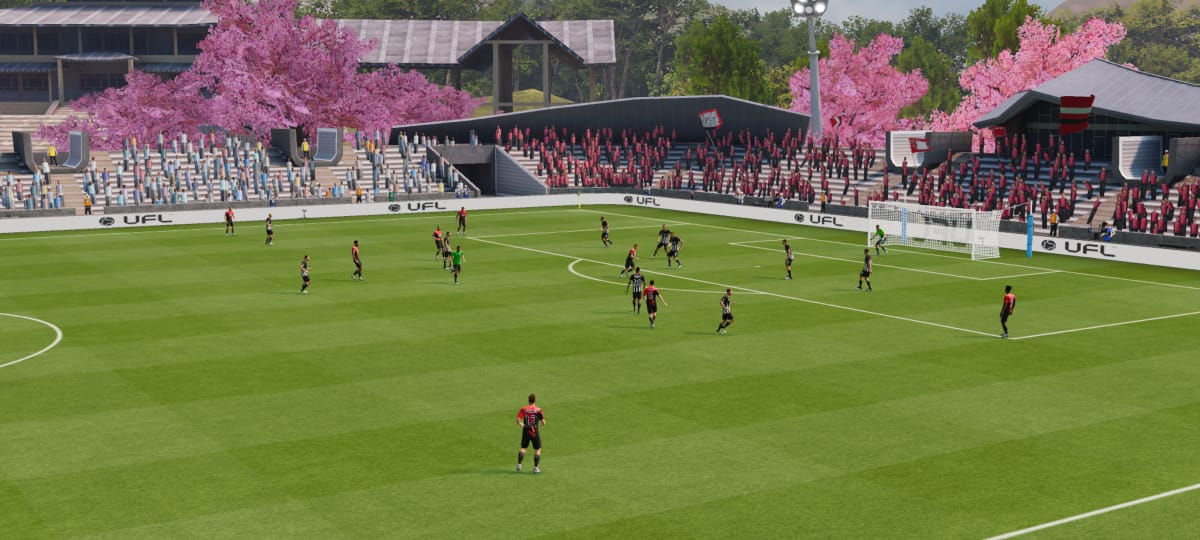
Okay, so the game is all about building up your own football club. You start by signing players and slowly making your team better. You can customize everything about your club too, which is cool! There are different ways to play, so you’re always competing. At first, your team isn’t great, but as you play, you earn rewards and sign better players, and over time, you really build it up into something special.
This game is designed to be simple for new players. You have direct control over attacks and defense, but the game also features an Auto AI that manages your team’s off-ball movement. This makes it easy to learn, even if you’re new to both this game and football in general, allowing you to jump into matches without feeling lost or overwhelmed.
Understanding Controls in UFL 2026 Mobile
UFL 2026 has easy-to-learn controls, though it takes a couple of games to get the hang of them. You move your players with a virtual joystick, and use buttons on the right side of the screen to attack and defend. The game also provides helpful on-screen tips during matches to guide you.
When you’re on the attack, quickly passing to a teammate is done by tapping the pass button. To send a higher, lofted pass, swipe upwards. Use through balls to create running opportunities for your players. Swiping down initiates a quick one-two passing play. The way you swipe also affects your shots – you can choose between regular, finesse, and power shots depending on the direction of your swipe.

Defense is primarily controlled using the Dash and Tackle buttons. Holding the Dash button puts pressure on the opposing player, and quickly pressing the Slide button initiates a tackle. You manually select which defender you want to control.
The game also features helpful AI that keeps your players moving and finding good positions, even if you briefly let go of the controls. I’ll cover the controls, different passing options, and shot types in my next guide, so stay tuned for more details!
UFL 2026 Resources and Currencies
Okay, so UFL 2026 isn’t overly complicated with its resources or money, which is great. But there are still a bunch of key things you need to keep track of as you play, so don’t get lost!
Credit Points
Credit Points (CP) are the primary currency in the game. You’ll use them mostly to sign players, improve your footballers’ skills, and upgrade your team. You can earn CP by playing matches, completing tasks, participating in events, and finishing objectives in the Challenge Hub.

League Points
LP functions similarly to a high-value currency within the game. It’s primarily used for purchasing packs, accessing special deals, and advancing through certain in-store features. Because LP is relatively difficult to obtain – requiring either purchases or watching ads – players tend to save it for the most desirable premium packs.
Power – Career Mode
The game also features some internal limitations. In Career Mode, playing matches uses up ‘Power,’ and you have to wait for it to recharge if you run out. This prevents players from endlessly repeating matches at the beginning of the game, which is a welcome change.
Assembling your Team in UFL 2026: Club and Players
The Club Management area is where you’ll handle most of your team’s development. Here, you can view and customize your player roster, and manage your squad.
In the ‘My Team’ section, you control everything about your team – from choosing formations and players who start, to setting tactics and making substitutions. The ‘Footballers List’ lets you see all the players you’ve signed, making it simple to improve your squad and rotate players as needed. This is also where you train players, improve their skills, and release them from your team.

One of the best features of UFL 2026 is the deep level of club customization. You can personalize everything from your team’s jerseys, ball, and stadium, to the club badge and even how individual players look. It’s really fun – I even gave Mbappe a cool new look with an undershirt and high socks!
To get new players, visit the Store and select the ‘Packs’ section. You can use Chest Keys or LP to open packs. Any duplicate players you receive will help you improve your existing players.
UFL 2026 Gameplay Modes
Rivals
Rivals is the primary way to compete against other players online in real time. It’s the core of UFL 2026’s competitive scene, but you’ll need to reach club level 3 before you can start playing.
Career
Career Mode lets you build your team and compete against AI opponents in a long-term offline experience. The game advances month by month, and you’ll need to manage your team’s energy – you can’t keep playing continuously and will need to wait for it to recharge.

Challenge Hub
I’ve been checking out the Challenge Hub, and it’s pretty cool. It’s like a way to level up and learn the game at the same time. Basically, you complete different challenges, and you get stars for doing so. Those stars then unlock rewards, which is awesome!
Friendly Match
Friendly Matches are relaxed practice games where you don’t need to focus on improving your team or rank. They’re perfect for trying out different team setups, getting used to the controls, and seeing how new players perform.
Limited-Time Modes
I love that the game keeps things fresh with limited-time events and different tournament modes popping up now and then. One cool one they had was the Open World Tournament – basically, you played through a World Cup-style progression system and earned rewards as you went. It was a nice change of pace!
UFL 2026 Beginners Guide: Tips and Tricks to Remember
1. Start slow and explore
It might seem obvious, but taking the time to learn the menus, controls, and how the game works is really beneficial. UFL 2026 has several ways to improve your game, and jumping straight into online matches can be confusing.
2. Challenge Hub is your friend

Focus on completing as many missions in the Challenge Hub as you can. It’s a great way to learn the basics of UFL – almost like a longer tutorial – and you’ll earn rewards as you go. It’s the perfect starting point for new players.
3. Make use of auto controls
If you need a quick breather during a match, the AI assistance feature can help you stay in position and keep the game moving. The automatic support is actually quite helpful, particularly in Career mode, though I also tested it in Rivals and it performed well enough.
4. Complete quests regularly

Early in the game, daily and weekly quests are a great way to earn rewards and quickly gather the resources you need to improve your character. They also introduce you to how the game works, and completing them is a solid way to gain experience and level up.
5. Don’t ignore formations
The way you arrange your players on the field – your formation – really impacts how the game plays out. If you like to attack, formations like 4-2-4 can be very effective. More balanced formations give you better control of the middle of the field. Try out a few different options to find what works best for you.
2026-05-25 03:13