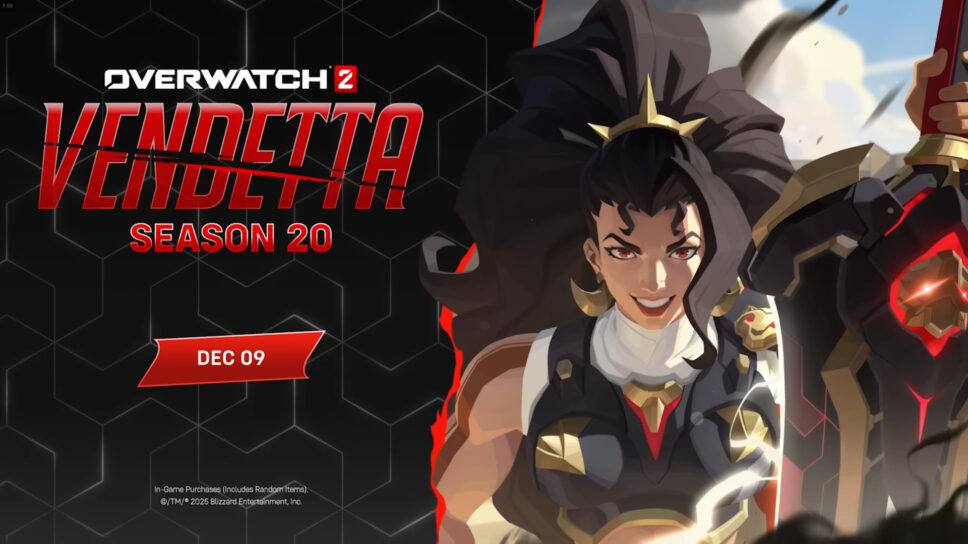
Vendetta leaps into Overwatch 2 Season 20 while other heroes deck the halls this holiday season!
Overwatch 2’s Season 20, titled ‘Vendetta’, starts on December 9th. You can download the update early! Here’s a preview of the changes coming in the Season 20 patch, and a simple guide to pre-downloading it.
Overwatch 2 Season 20 patch notes
I’m so hyped for the Overwatch 2 Season 20 patch! We’re finally getting Hero 45, and they’ve revealed her name is Vendetta! She’s a damage dealer, and it sounds like she’ll have some cool connections with the heroes we already know and love. Plus, the new cosmetics look amazing – I’m definitely going to be grinding for Cassidy’s Divine Desperado mythic skin and that super cute Capsule Cannon skin for Orisa!
Overwatch 2’s Season 20 Battle Pass offers a variety of cosmetic items, including three epic skins, emotes, and weapon charms. Some of the available skins are Yukizaru Genji, Celestial Venture, a cold-themed skin for Soldier: 76, Frost Lich Reaper, Skadi Freja, Cold Front Tracer, Ice Crystal Symmetra, and Winter Guardian Illari. If you purchase the Ultimate Battle Pass, you’ll also get the High Society Vendetta and Reindeer Tracer skins.
Besides these new options, players can also find skins from the Cozy, Borealis, and Heist collections. The popular Overwatch 2 and Avatar: The Last Airbender collaboration is also back, bringing with it skins like Katara Mei, Aang Zenyatta, Appa Orisa, Toph Venture, Zuko Genji, and Suki Kiriko.
Also, be sure to check out the new Mischief & Magic: Wonderland game mode! It’s similar to prop hunt, but with a fun twist. During the event, Blizzard Entertainment says you can unlock special Frozen Demon Junkrat and Frozen Mountaineer Cassidy skins.
Winter Wonderland is returning soon, giving players the chance to collect Winter Cookies and trade them for special rewards. This year, you can earn unique looks for Tracer, Junkrat, and Torbjorn, transforming them into Jingle Tracer, Krampus Junkrat, and Santa Claus Torbjorn.
Overwatch 2 Season 20 Stadium patch notes
In Overwatch 2’s Stadium mode for Season 20, two new heroes are available: Doomfist as a tank and Wuyang as a support. While no damage-dealing heroes are being added, Cassidy is receiving a complete overhaul. Players will also have a new location to battle in, as Wuyang’s Water College is now part of the Stadium map rotation.
Blizzard Entertainment announced a new Top 500 rank to give dedicated players a challenging goal. The ranking system will be reset, offering everyone a chance to climb from the beginning. Reaching the top will unlock the League 6 Reaper Chase skin, and a new China Control map will add to the excitement.
Overwatch 2 Season 20 Competitive update
Season 20 introduces a new ranking system for Competitive Play. Players can now earn a Challenger Score and climb the ranks to reach the Top 500. Plus, thanks to recent cheater bans, players are having their previously lost rank progress restored.
Season 20 of Overwatch 2 also brings better aim assist for players on consoles.
Overwatch 2 Season 20 pre-download
- Launch Battle.net
- Log in to your account
- Click on the Overwatch 2 logo
- Press the “Settings” button
- Click on the “Check for Updates” text
To get Overwatch 2 Season 20 downloaded before it launches, open the Battle.net app and sign in. Click on the Overwatch 2 logo, then the settings gear next to the “Play” button. Finally, click “Check for Updates.” Once the pre-load is complete, you’ll see a message saying “Pre-release content downloaded.”
How to pre-load the Overwatch 2 Season 20 update
- Click on the “Settings” button
- Select “Game Settings”
- Click on “Downloads”
- Scroll to the “Automatic Updates”
- Choose your update preferences
- Press the “Done” button
Overwatch 2 can now update automatically. To enable this, go to the game’s settings by clicking the gear icon. Then, select “Downloads” and find the “Automatic Updates” section. Choose the option to “Apply latest updates and download pre-release content for recently played games,” and click “Done.”
Read More
- Clash Royale Best Boss Bandit Champion decks
- Vampire’s Fall 2 redeem codes and how to use them (June 2025)
- World Eternal Online promo codes and how to use them (September 2025)
- Best Arena 9 Decks in Clast Royale
- Country star who vanished from the spotlight 25 years ago resurfaces with viral Jessie James Decker duet
- ‘SNL’ host Finn Wolfhard has a ‘Stranger Things’ reunion and spoofs ‘Heated Rivalry’
- Solo Leveling Season 3 release date and details: “It may continue or it may not. Personally, I really hope that it does.”
- Kingdoms of Desire turns the Three Kingdoms era into an idle RPG power fantasy, now globally available
- M7 Pass Event Guide: All you need to know
- JJK’s Worst Character Already Created 2026’s Most Viral Anime Moment, & McDonald’s Is Cashing In
2025-12-08 22:11