
Story Highlights
- Step into Heartopia and unlock the tools that let you design your own clothes and furniture.
- Decorate your home and dress your character in your own custom creations.
What makes Heartopia special is the ability to truly personalize your experience. It’s more than just the typical farming, decorating, and chatting – you get to define your character’s style and create a home that reflects your personality. With options ranging from trendy clothes to high-end furniture, Heartopia lets your creativity shine.
Heartopia doesn’t just offer pre-designed items. It empowers you to create completely custom clothes and furniture. Using its tools, you can easily transform your own artwork into unique outfits and home decorations that express who you are.
Need help getting started in Heartopia? This guide covers clothes and furniture. Be sure to also check out our beginner’s guide, co-op guide, hobbies guide, tips for unlocking home plots, and gold guide for a great start. Don’t forget to read our article on redeem codes to get free items in the game!
Get started by buying a Drawing Board
To start creating in Heartopia, you’ll first need a Drawing Board. Also, keep an eye on the General Store – it gets new items over time! Be sure to visit and chat with Ka Ching daily to see what’s available.

The Drawing Board will become available for purchase soon. Once you buy it, you’ll have total control over your designs and can create them anywhere you like. Once you’ve found the ideal space, you’re all set to begin!
How to use the Drawing Board
The Drawing Board lets you start a new painting whenever you like. You can choose the size of your canvas to fit your design. The game begins with a simple set of colors, but you can unlock a wider range of options by using the advanced color palette tool.
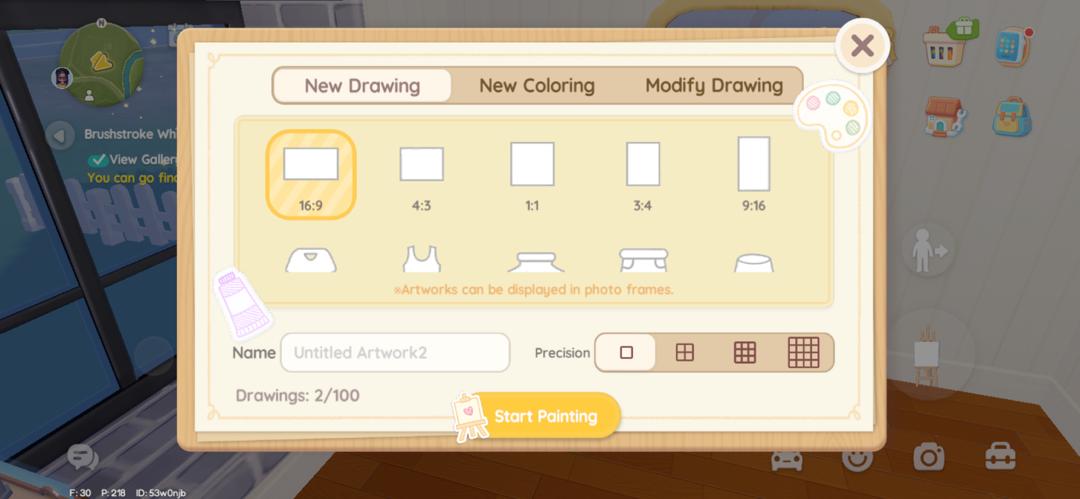
The Drawing Board includes several helpful tools:
- Adjust brush size for fine details or bold strokes.
- Paint bucket to fill large areas instantly.
- Stamp tool with pre-made designs, such as flowers and cute animals.
- Coloring pages for players who want structured designs.
You don’t need to be an artist to make great designs! The stamp tool and coloring pages make it easy to create something beautiful with very little effort. Once you’re happy with your design, save it – you can then use it to personalize things like clothing or furniture, depending on the template you choose.
How to design and make Custom Clothes in Heartopia
First, pick a clothing template. Once you’ve chosen one, click ‘Start Painting Board’ to design it. When you’re happy with your artwork, go to your workbench. There, click the scissors icon to open the menu for making the clothing.
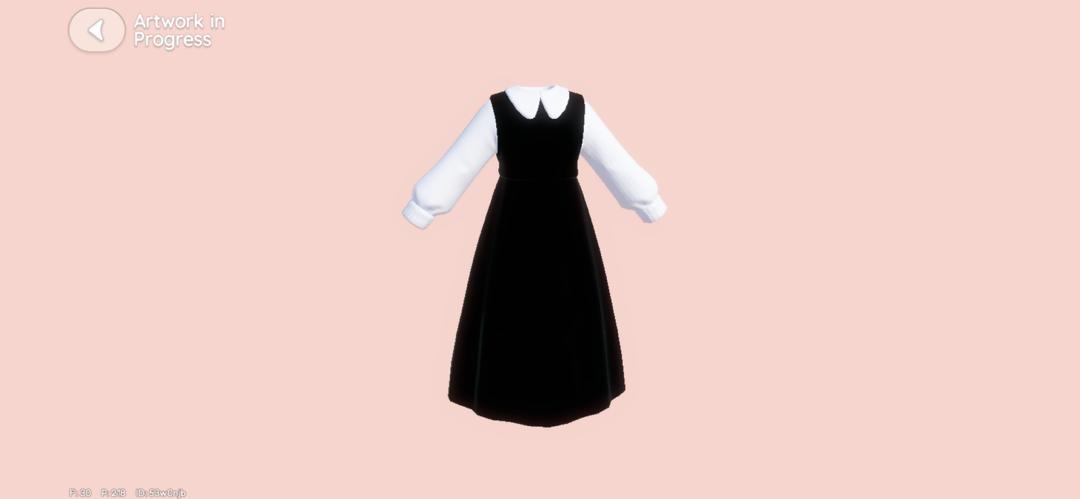
Here you can see all the clothes available and put your design on them. But remember, you’ll also need a Tailoring Ticket to actually make the outfit.
You can obtain Tailoring Tickets in two ways:
- Completing quests that reward tickets
- Purchasing them for 80 Moonlight Crystals each
After you use a Tailoring Ticket to craft your outfit, you can wear it! Just go to your wardrobe, find the custom designs section, and equip your new creation. That’s everything you need to do to make a custom outfit in Heartopia.
How to design and make Custom Furniture in Heartopia
To begin creating your own furniture, first choose a pre-made template. Once you’ve designed your piece, head to your workbench. Instead of clicking the scissors, select the brush icon – this will bring up the furniture customization options.

Before you change the look of a furniture piece, ensure it’s either in your possession or saved in your storage. If it’s not, you won’t be able to find it when choosing designs. Once you’ve confirmed it’s available, select the item and apply your preferred saved design.
To finish up, you’ll need a can of paint. If you don’t have one, you can buy it at the General Store for 50 Moonlight Crystals. After you apply the paint, your furniture will be finished and ready to put in your house.
Stay up-to-date with the latest mobile gaming news! Join us on WhatsApp, Telegram, or Discord. You can also find quick updates by following us on Instagram, Twitter, and Google News.
2026-01-21 22:12