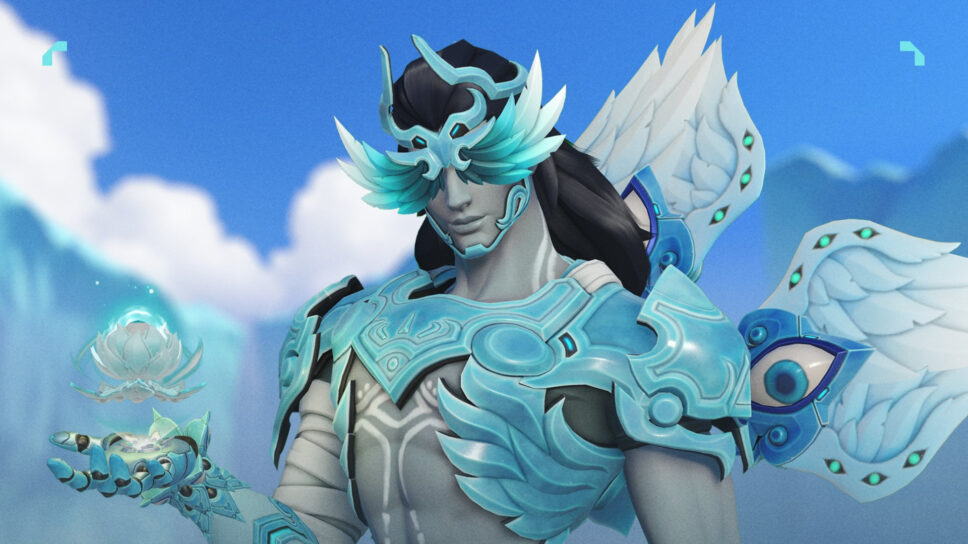
To get the Frozen Seer Lifeweaver skin in Overwatch 2, follow these simple steps one by one. Complete the Discord Quest first!
Lifeweaver main players are growing tired of receiving complimentary skins recently. However, following the release of the OWCS Lifeweaver Home skin as a freebie, another free legendary skin, Frozen Seer Lifeweaver, has become available. Here’s a step-by-step guide on how to acquire this skin:
1. Log into your Overwatch account.
2. Navigate to the in-game shop or event section.
3. Look for the promotional offer related to Frozen Seer Lifeweaver skin.
4. Follow the instructions provided, which may include completing specific tasks or challenges within the game.
5. Once you’ve fulfilled the requirements, the Frozen Seer Lifeweaver skin will be added to your account at no additional cost.
Enjoy customizing your Lifeweaver with this free legendary skin!
Discord Quest step-by-step
- Open your discord app on the web or your PC and go to the “Discover” button. If you can’t find it, it is located under all of your servers and has the draw of a compass.
- On the Discord quest main page, you’ll see various games and rewards you can achieve. Search for the Overwatch 2 quest. When you open it, you need to watch a video called “Overwatch 2 Honor & Glory Season 15”. The quest will only be complete when you watch the full video.
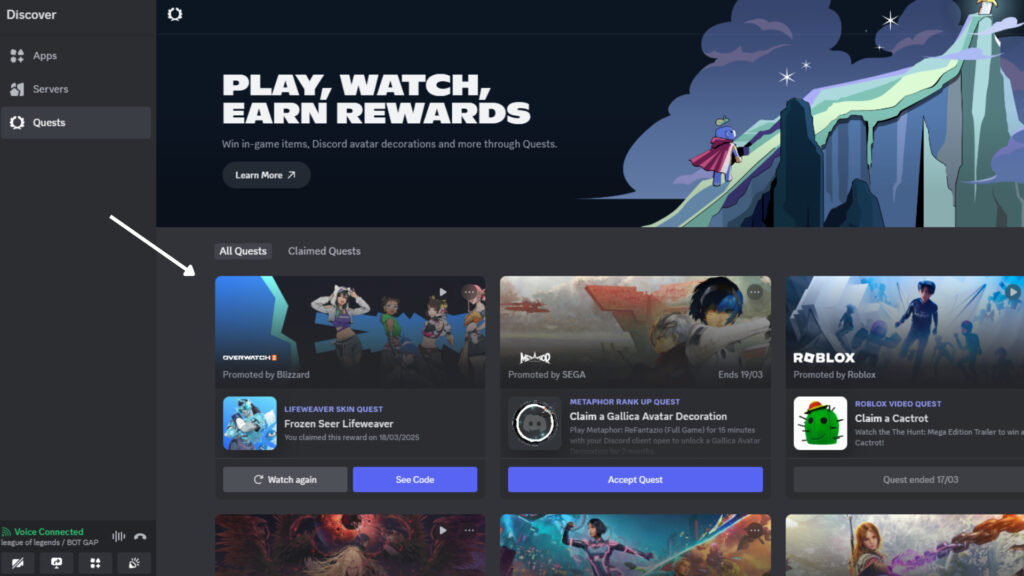
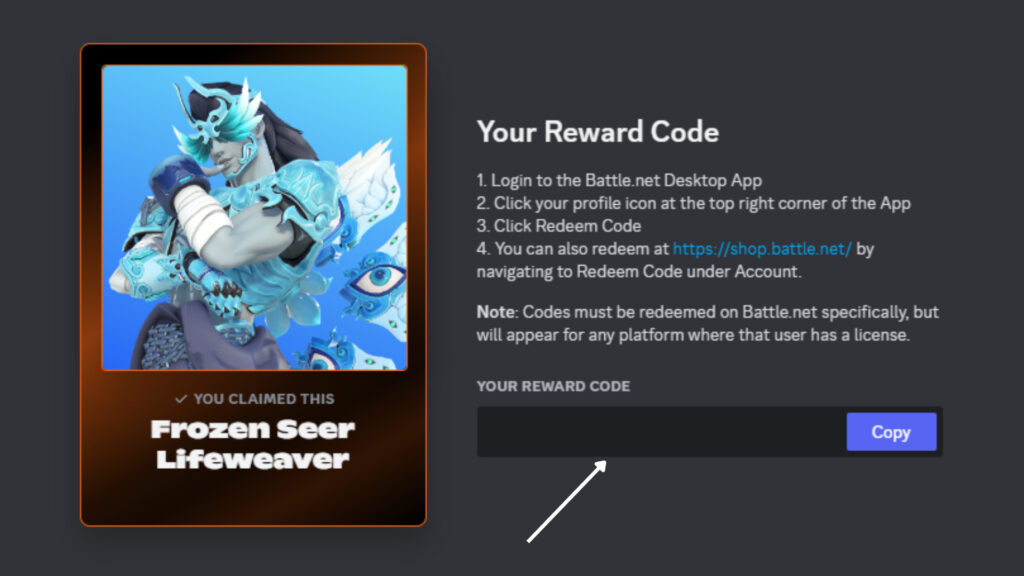
- After watching the video, you’ll see a pop-up window with a “Reward Code” that you need to claim to get the skin. As you can see in the screenshot, you’ll have all the instructions on your screen and a code that you only need to copy and paste into your battle.net account.
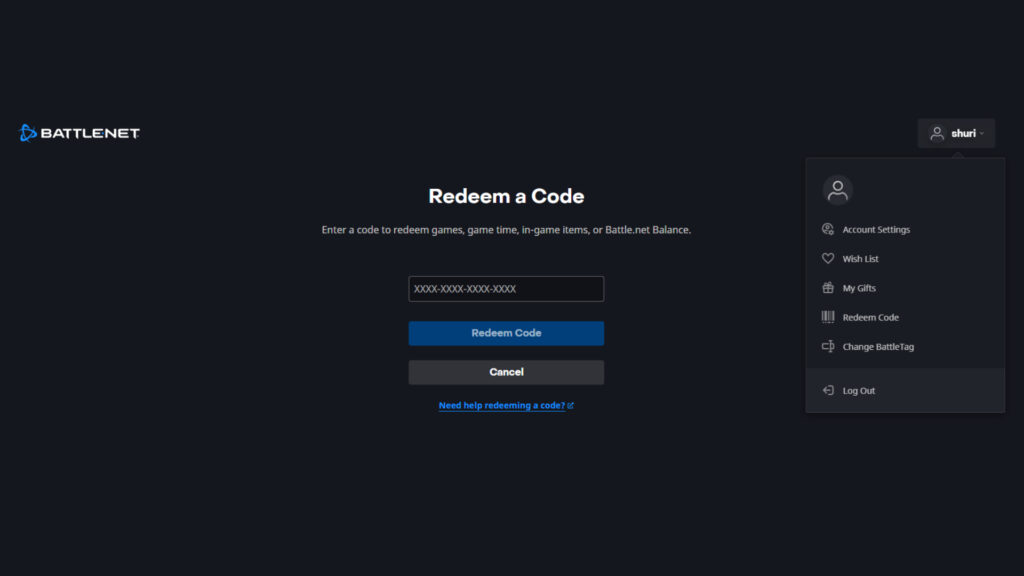
- Following the instructions, go to battle.net in the web or desktop app, log into your account, click on your icon, and go to “Redeem Code”. There, all you need to do is copy past the reward code and the skin will be automatically added to your account.
- The next step is to log into your Overwatch 2 and appreciate the beauty of the skin in your inventory. Go to “Heroes” on the main page, find Lifeweaver, and go to “Skins”. It will appear as an owned skin.
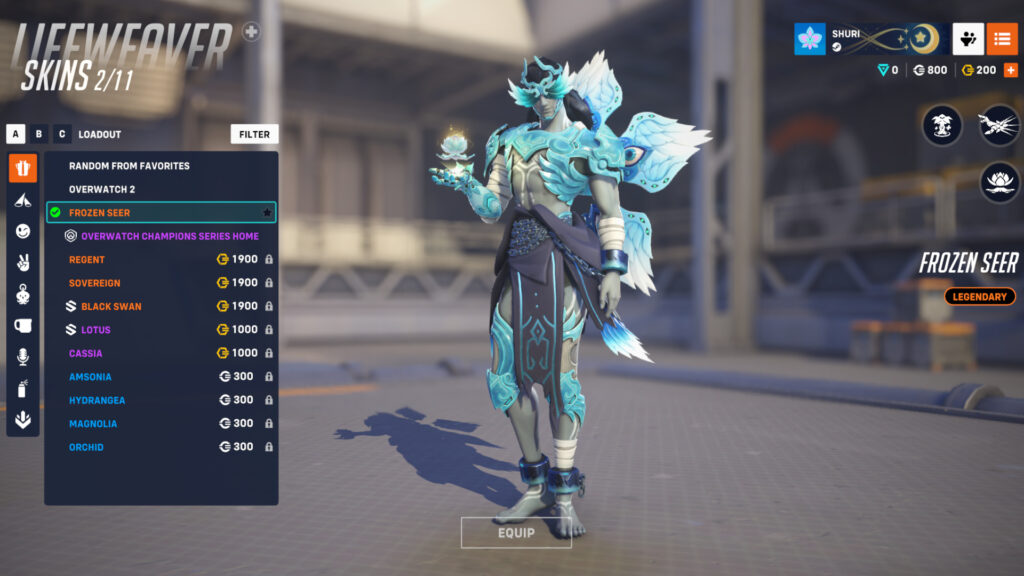
When does the Frozen Seer Lifeweaver quest end?
The quest concludes on April 14th, giving you ample time to complete it before then. Since this task doesn’t take long, just remember to get it done promptly.
Read More
- Clash Royale Best Boss Bandit Champion decks
- Clash Royale December 2025: Events, Challenges, Tournaments, and Rewards
- Best Hero Card Decks in Clash Royale
- Ireland, Spain and more countries withdraw from Eurovision Song Contest 2026
- Clash Royale Witch Evolution best decks guide
- JoJo’s Bizarre Adventure: Ora Ora Overdrive unites iconic characters in a sim RPG, launching on mobile this fall
- Mobile Legends December 2025 Leaks: Upcoming new skins, heroes, events and more
- ‘The Abandons’ tries to mine new ground, but treads old western territory instead
- Clash Royale Furnace Evolution best decks guide
- Mobile Legends November 2025 Leaks: Upcoming new heroes, skins, events and more
2025-03-19 14:12